GST Capture
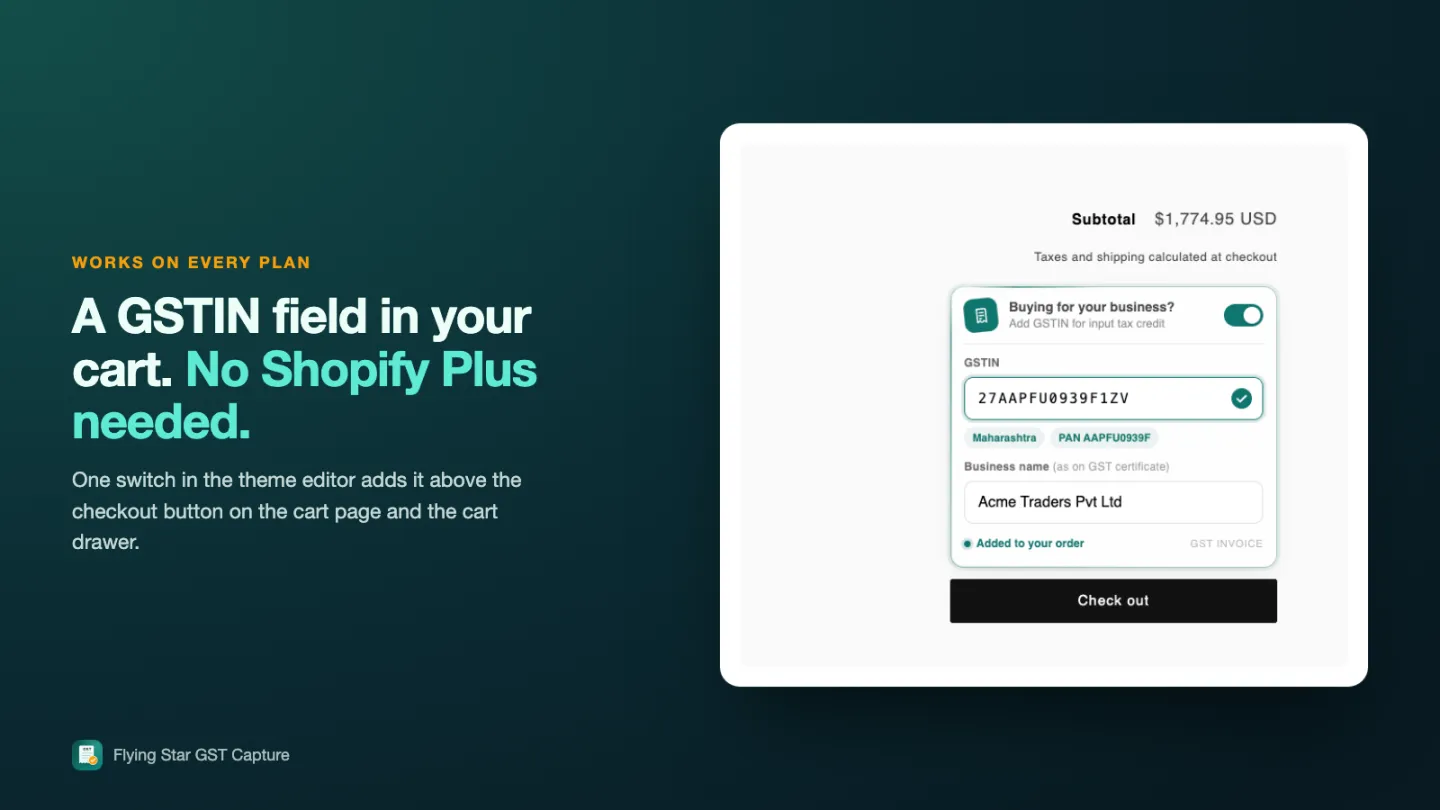
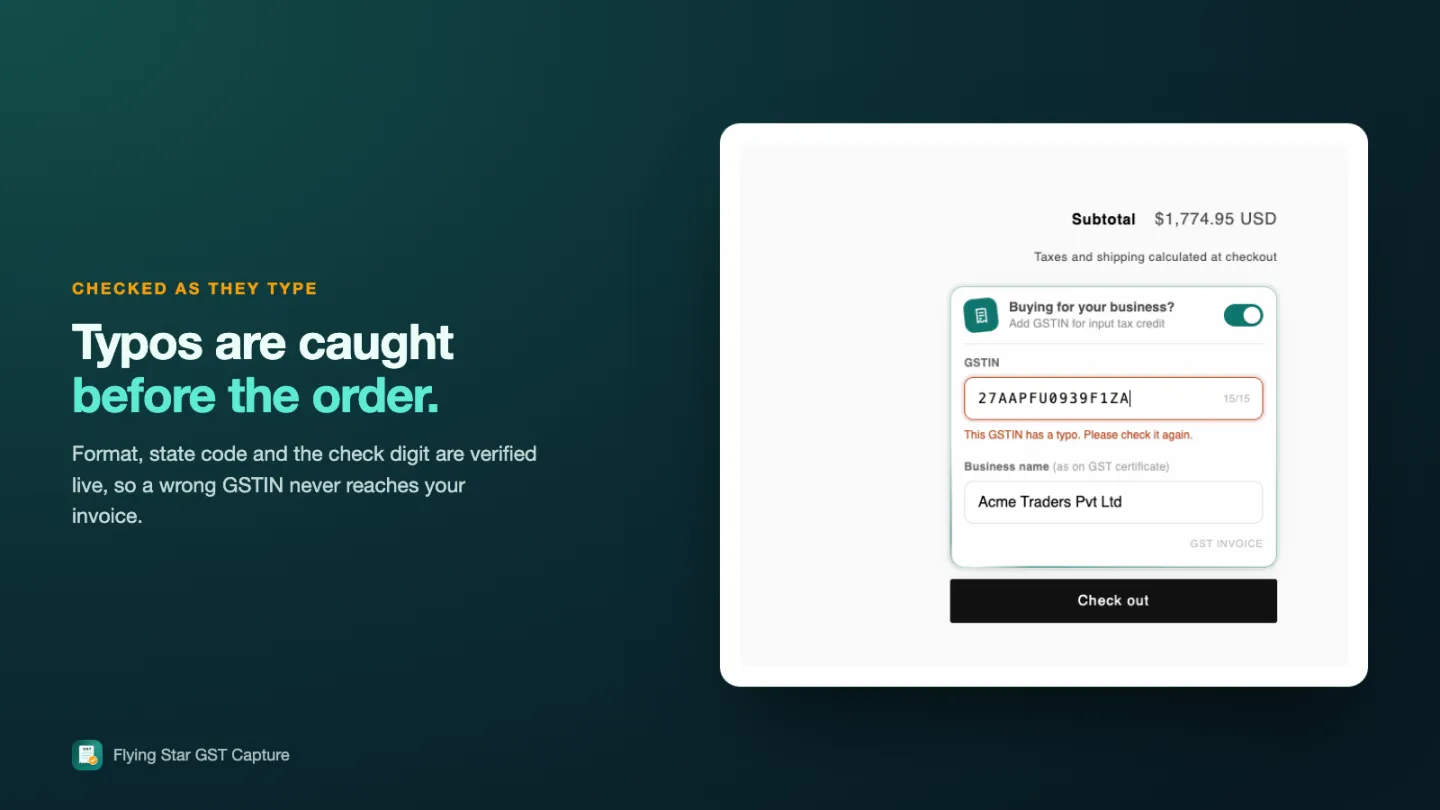
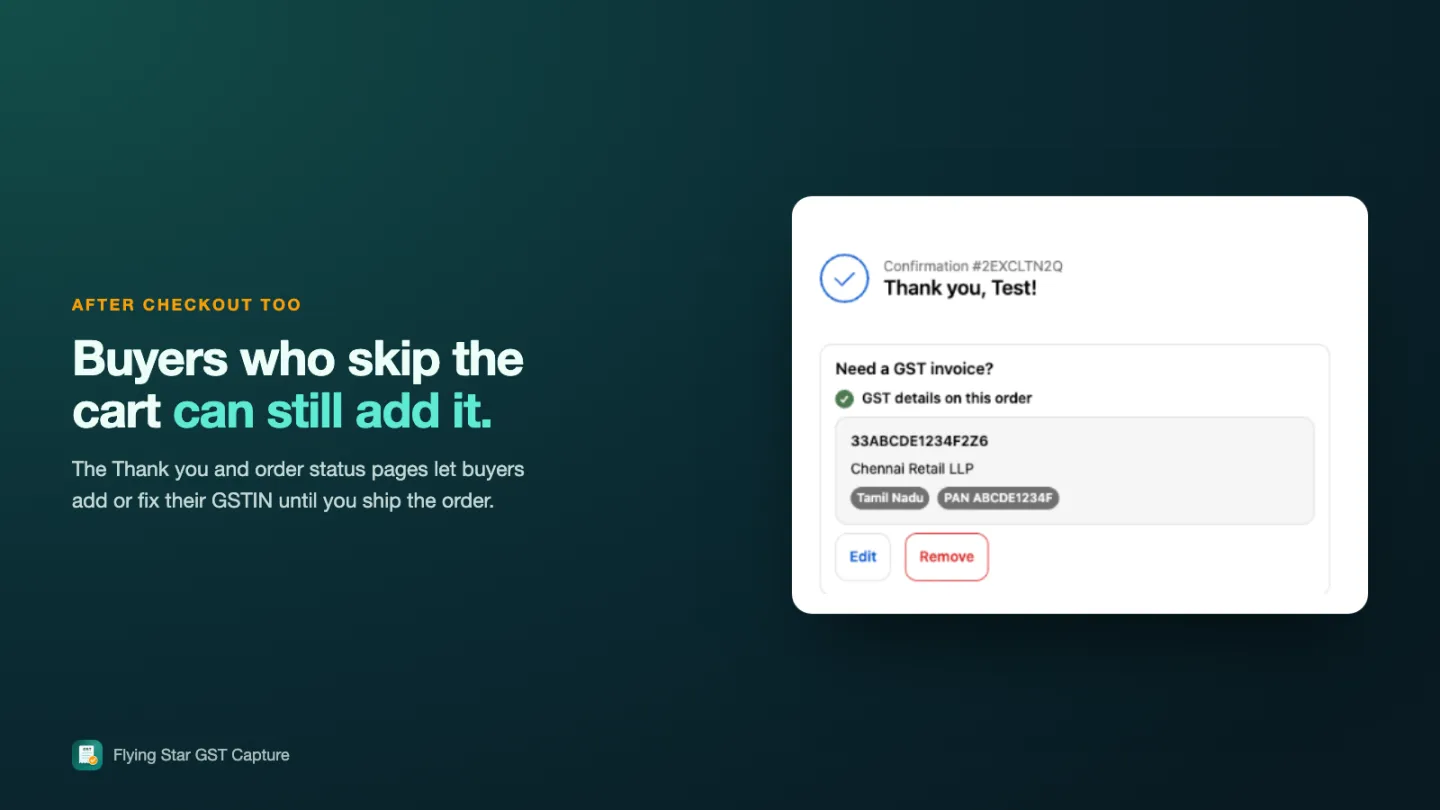
A GSTIN field in your cart. No Shopify Plus. Buyers add their GSTIN and business name in the cart. The order is tagged GST B2B, and you export a GSTR-1 B2B (table 4A) CSV.
- PlatformShopify
- Start$0.99 / month
- Setup3 steps
What it does
Every feature, plainly.
7 day free trial. Billed by Shopify.
GSTIN in the cart
Buyers add GSTIN and business name before checkout, on the cart page or the cart drawer.
Every plan
Works on Basic and up. No Shopify Plus or checkout extensibility needed.
Tagged orders
Orders with a GSTIN are tagged GST B2B so your team spots them.
GSTR-1 ready
Export a GSTR-1 B2B (table 4A) CSV when you file.
Screens
The real thing.
Pricing
Start free. Pay when it earns it.
GST Capture
$0.99/ month
7 day free trial. Billed by Shopify.
- GSTIN field in cart
- GST B2B order tag
- GSTR-1 B2B CSV
- Every Shopify plan
Prices in US dollars unless shown otherwise. Checkout and tax are handled by Polar. Cancel any time from the link in your receipt.
Install
Live in a few minutes
- 1
Install GST Capture from the Shopify App Store.
- 2
In the theme editor, switch on the GST block for the cart.
- 3
Place a test order with a GSTIN and export the CSV.
Your data
We store your shop domain and access token. GSTIN, business name and state are saved in your Shopify store. A GSTIN sits in our database, encrypted, only for the minutes before the order exists, then it is deleted.
Do I need Shopify Plus?
No. It works on every plan, including Basic.
Where are the GST details saved?
In your own Shopify store, on the order. Our database keeps no buyer names, emails, phones, addresses or order contents.
How is it billed?
Through Shopify, $0.99 a month after a 7 day free trial.