OrderPing
Know the second an order lands. New order alerts for WooCommerce on Telegram, ntfy or email, sent straight from your store. No middle server, no account with us.
- PlatformWooCommerce
- StartFree
- Pro from$39 / year
- Setup3 steps

Check your email for your OPNG key.
Polar has sent your receipt. Our licence server sends a second email with your OPNG key and a download link for OrderPing Pro. It can take a minute; check spam if it is not there.
- Install and activate the free OrderPing plugin first. No file yet? Write to support@flyingstar.in and we send it at once.
- Download OrderPing Pro from the link in the email. The link works for 7 days.
- In WordPress open Plugins, Add New, Upload Plugin, choose the zip and press Activate.
- Paste your key in WooCommerce, Order alerts, Pro.
Free plugin
Everything you get, free.
No time limit. Pro is an add-on, never a lock on these.
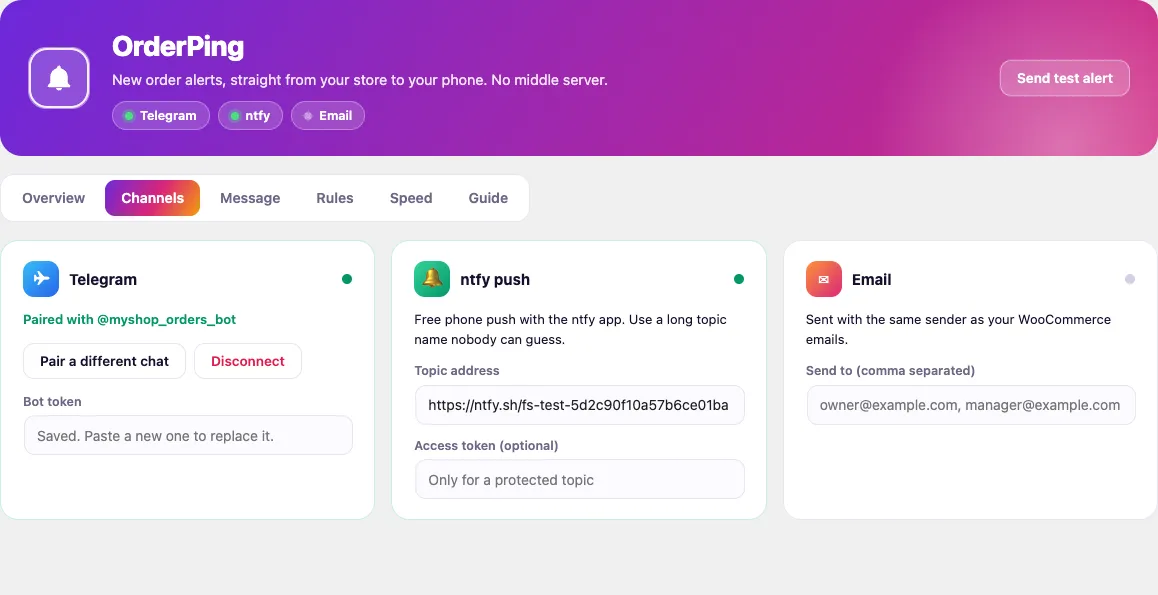
Telegram in one code
Pair a chat with a one time code that expires in 15 minutes. Only the chat that sends it gets alerts.
ntfy push and email
Push to your phone through ntfy, or send email through WordPress mail. Use one channel or all three.
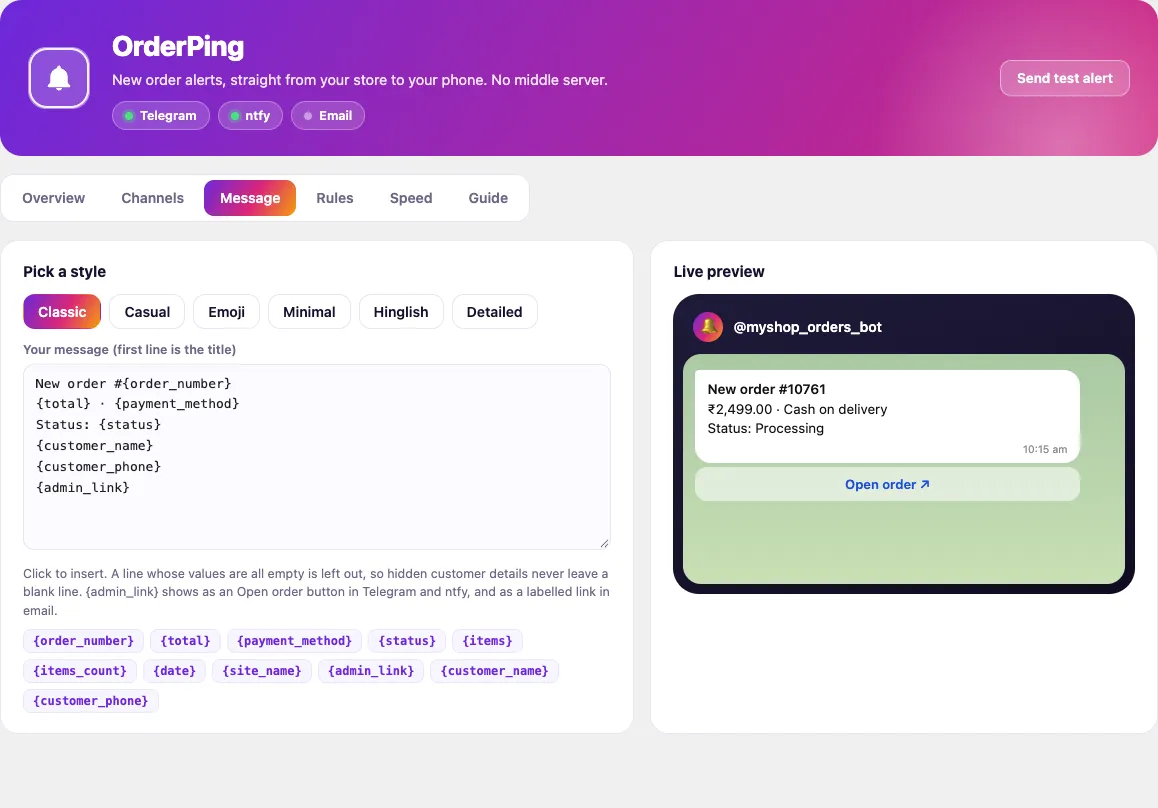
Messages that read well
Six styles (Classic, Casual, Emoji, Minimal, Hinglish, Detailed) or your own text with placeholders, previewed on a phone mock.
You pick the statuses
Choose which order statuses send an alert. Each order alerts once per status, never twice.
Private by default
Order number, total, payment method and an admin link. Customer name and phone stay off unless you switch them on.
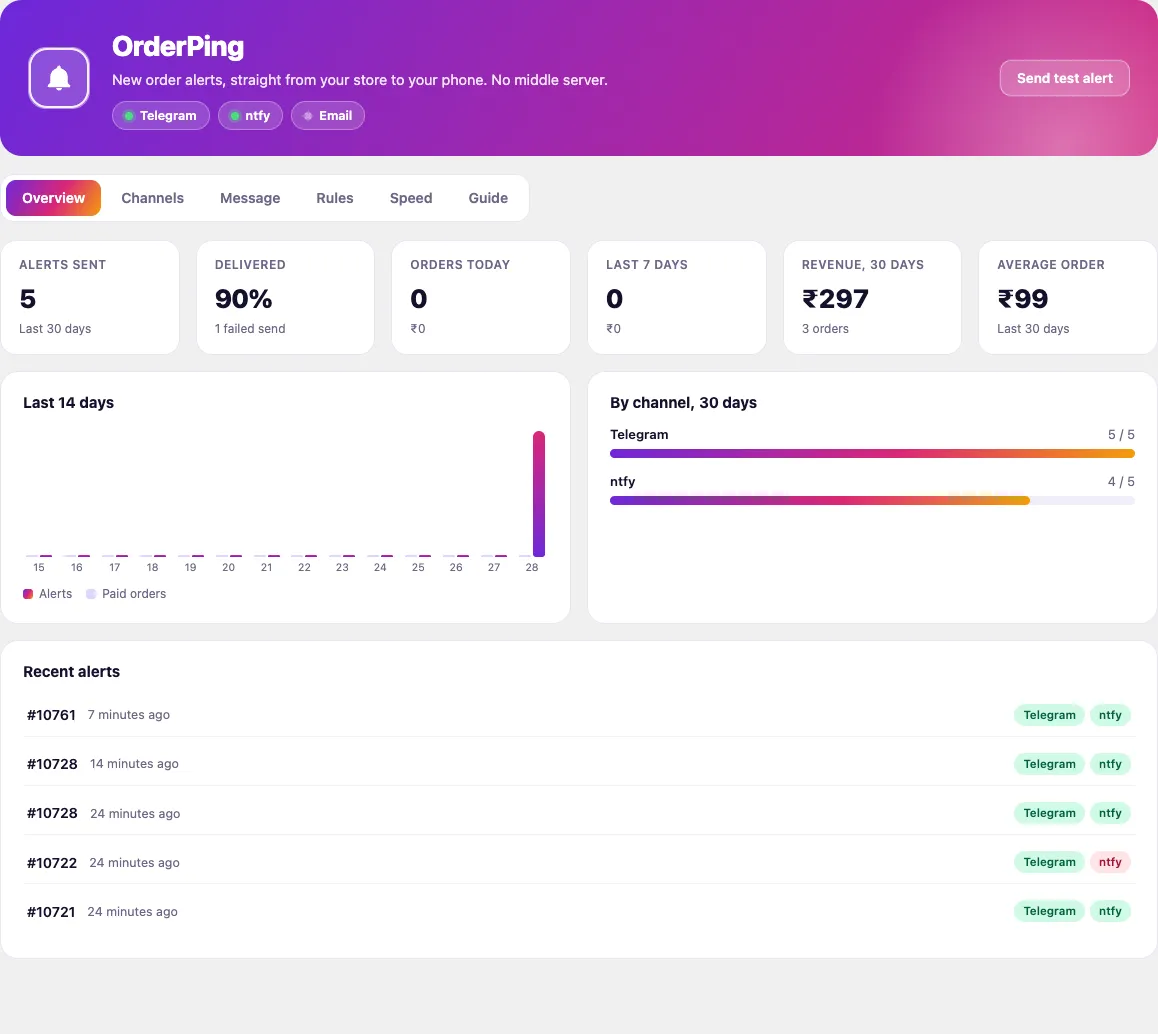
Overview that proves it works
Alerts sent, delivery rate per channel, a 14 day chart, the last 20 alerts and your orders and revenue for today, 7 and 30 days.
Light on the store
Sends in the background, retries when every channel fails, adds no tables and nothing autoloaded.
OrderPing Pro
When it starts paying, go Pro.
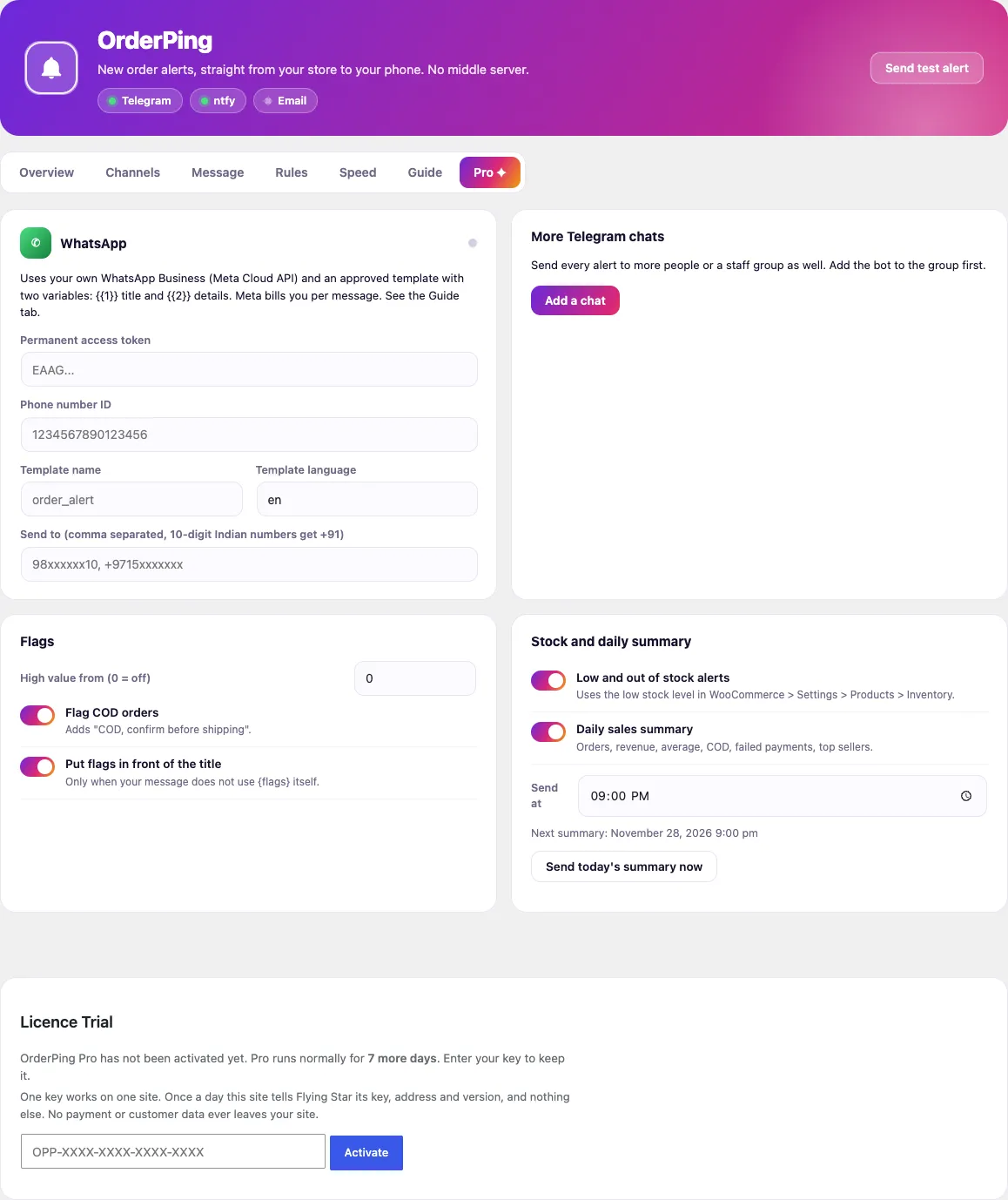
WhatsApp alerts
Send through your own WhatsApp Business account on the Meta Cloud API. Meta bills you per message.
More chats and staff groups
Send every alert to more Telegram chats or a staff group.
High value and COD flags
Alerts stand out when an order is above your limit or paid cash on delivery.
Low stock alerts
Hear about low stock and out of stock products before buyers do.
Daily sales summary
One message a day at the time you choose with how the day went.
Screens
The real thing.
Pricing
Start free. Pay when it earns it.
Free
$0
WordPress.org listing coming. Email us and we send the plugin file now.
- Telegram, ntfy and email
- All message styles
- Overview and test alerts
- One site or many
Pro monthly
$4.99/ month
One site. Cancel any time.
- Everything in Free
- WhatsApp alerts
- More Telegram chats
- High value and COD flags
- Low stock and daily summary
Pro yearly
$39/ year
One site. About two months free.
- Everything in Pro monthly
- Updates for the year
- Email support
Prices in US dollars unless shown otherwise. Checkout and tax are handled by Polar. Cancel any time from the link in your receipt.
Install
Live in a few minutes
- 1
Install and activate OrderPing. WooCommerce must be active.
- 2
Open WooCommerce, Order alerts.
- 3
Set up one channel, save, and press Send test alert.
Your data
Alerts go from your server straight to Telegram, ntfy or your mail server. The default message has no customer name or phone. Pro also calls the Meta API if you turn on WhatsApp, and checks your licence once a day.
Why a pairing code instead of a chat ID?
Anyone can message a Telegram bot. Only the chat that sends your one time code is linked, and the code expires after 15 minutes.
Is my ntfy topic private?
On ntfy.sh anyone who knows the topic name can read it. Use a long random topic, or a protected topic with an access token.
Does any order data reach Flying Star?
No. The free plugin talks only to the services you set up. Pro adds a daily licence check with your key, a random install ID, your site address and the version. No order data.
Does Pro need the free plugin?
Yes. Pro is an add-on. Install OrderPing first, then upload Pro and paste your key in WooCommerce, Order alerts, Pro.
Is there a trial?
Pro runs for 7 days from first use before it asks for a key. The free plugin keeps working either way.