Threshold
Cash on delivery, on your terms. Stop fake and refused COD orders with COD limits, rules, a COD fee and a partial advance paid online through any gateway.
- PlatformWooCommerce
- StartFree
- Pro from$29 one time
- Setup3 steps

Free plugin
Everything you get, free.
No time limit. Pro is an add-on, never a lock on these.
Partial COD
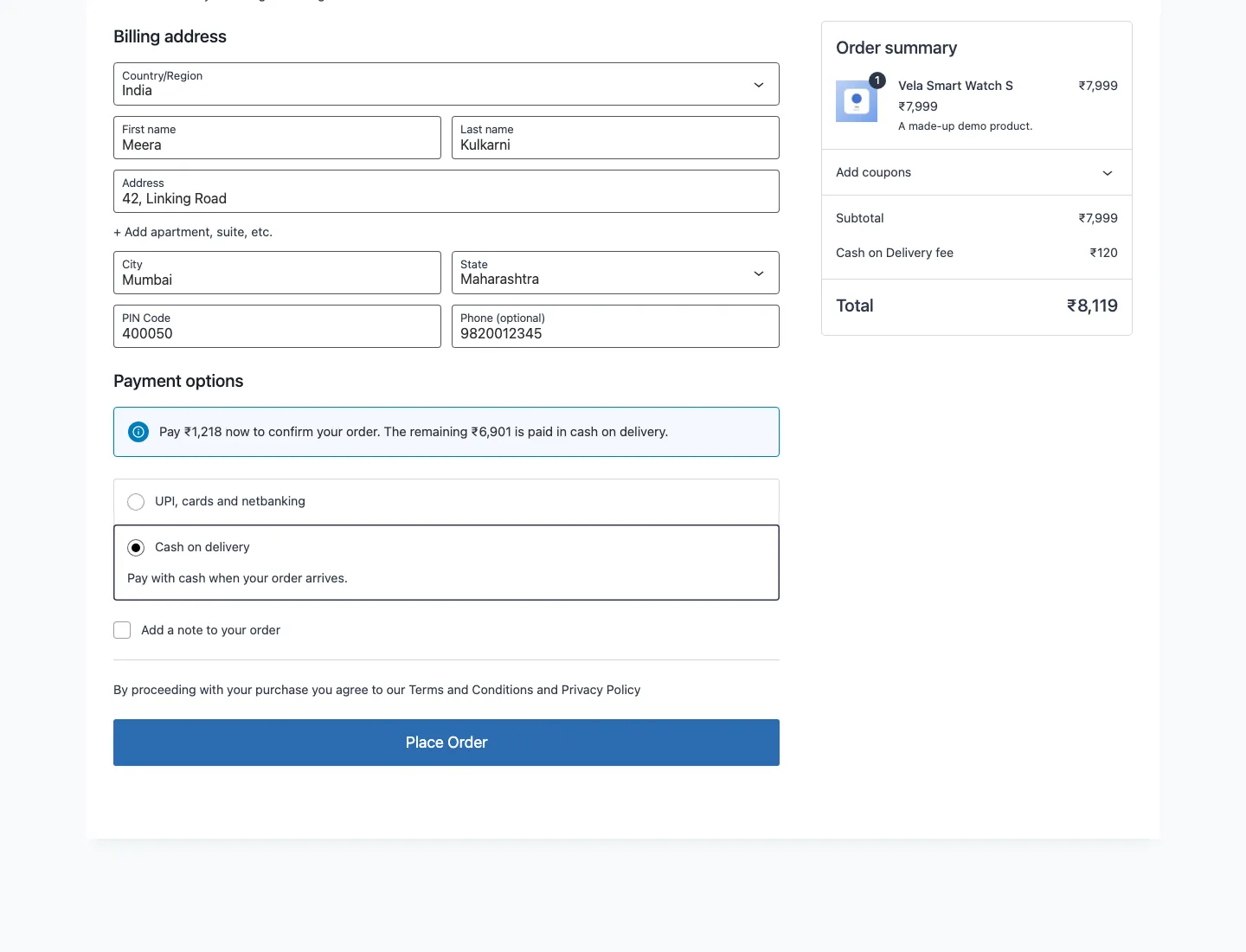
Ask for a percent or fixed advance, paid online on a linked order. The lowest advance can cover shipping.
COD only where it pays
Allow COD only inside an order value range you set.
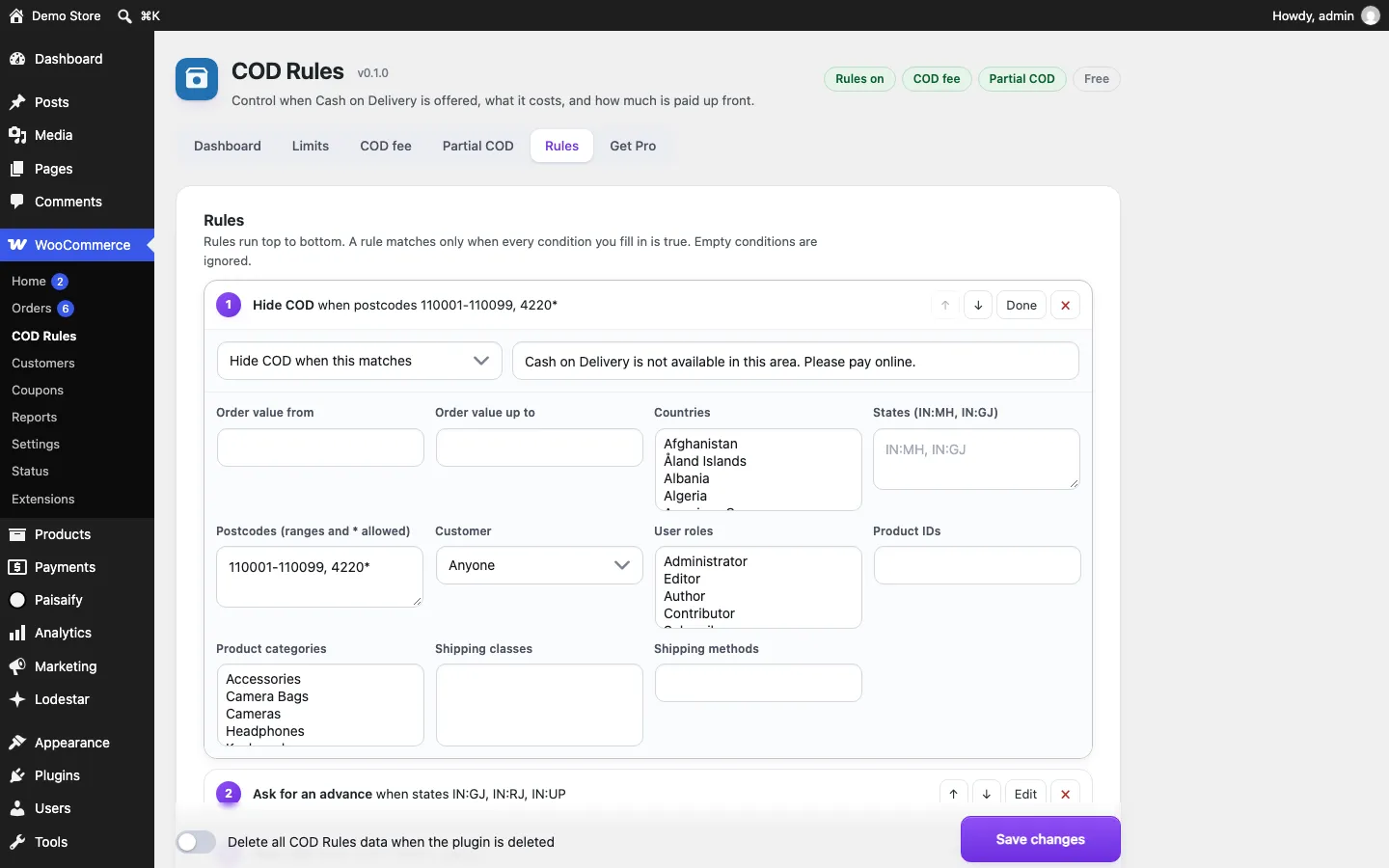
Rules that read as one line
Hide, allow or ask an advance by country, state, postcode ranges, customer type, role, product, category or shipping.
COD fee
Fixed, percent or both, with a minimum, maximum, tax and your own label.
Dashboard
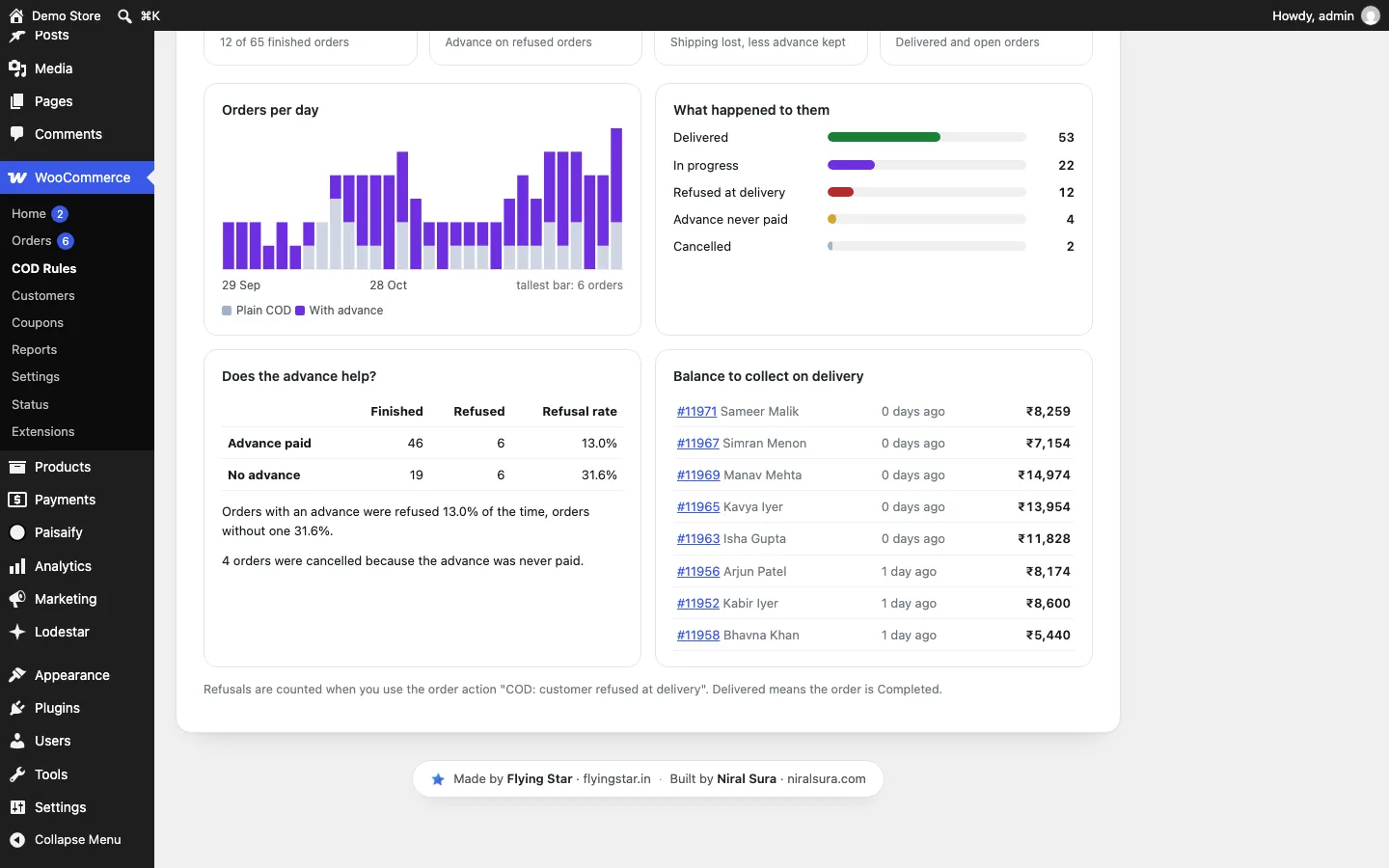
COD orders, advance collected, balance to collect, refusal rate and money kept, plus a WordPress Dashboard widget.
Does the advance help?
See the refusal rate with and without an advance, side by side.
Emails and clean up
Advance request and received emails, and unpaid advances cancel on their own.
Threshold Pro
When it starts paying, go Pro.
Risk score
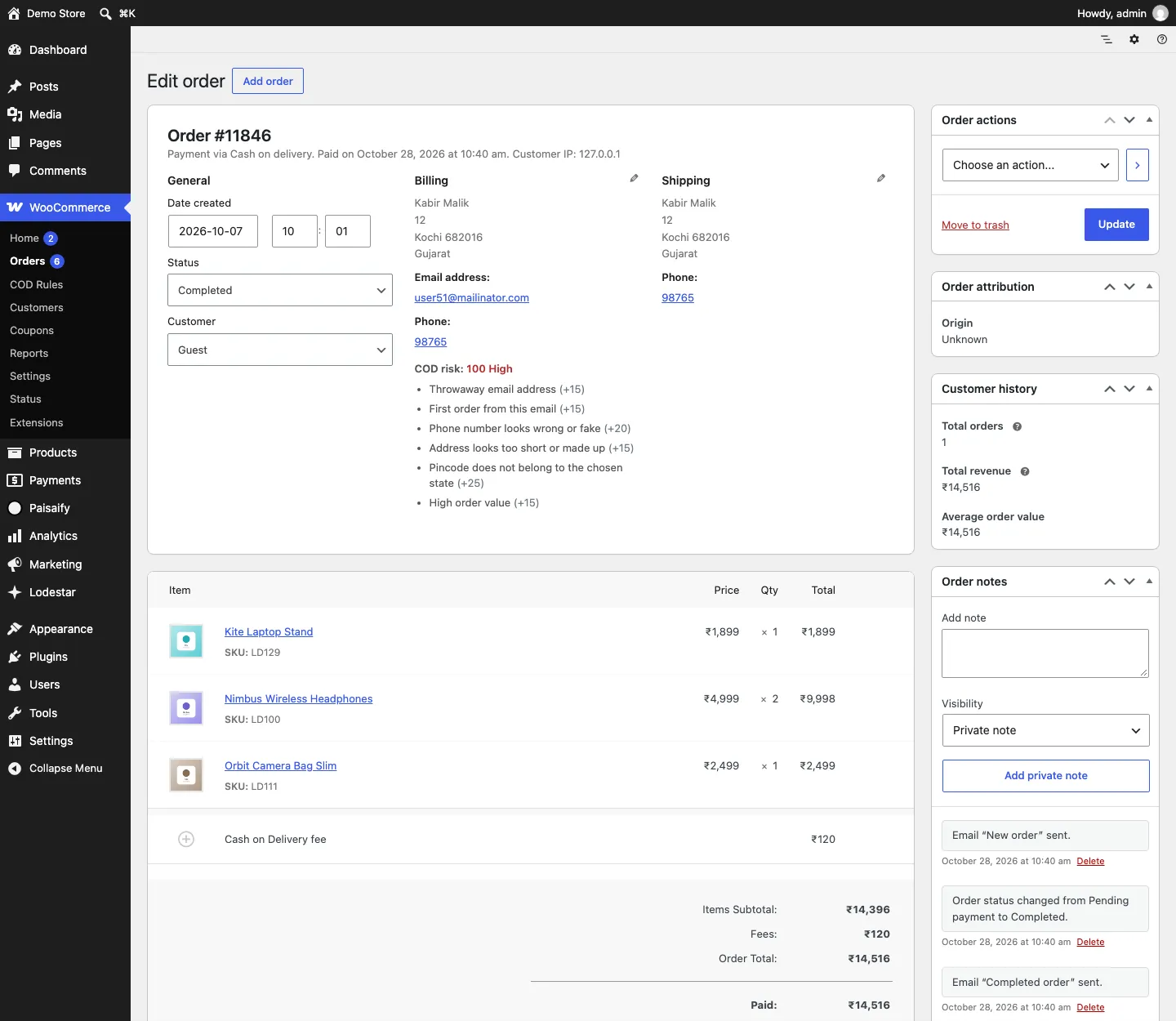
Each order gets a score with reasons. Flag it, ask an advance, send an email code or hide COD.
Blocklist and repeat refusals
Catch repeat refusers and ask first time buyers for an advance.
Day, time and tiers
Rules by day and time or sale period, and fee or advance tiers by order value.
Courier and webhooks
A courier update API, signed webhooks, reminders and minute level auto cancel.
Pincode checker and CSV
A pincode checker, CSV export and a dashboard from 7 to 365 days with refusals by pincode.
Screens
The real thing.
Pricing
Start free. Pay when it earns it.
Free
$0
On WordPress.org.
- Partial COD and COD fee
- Unlimited rules
- 30 day dashboard
- Block and classic checkout
Pro
$29one time
Early price while it lasts, then $49 one time. One site, updates included.
- Everything in Free
- Risk score with reasons
- Email code before COD
- Day, time and value tiers
- Courier API, webhooks, CSV
Prices in US dollars unless shown otherwise. Checkout and tax are handled by Polar. Cancel any time from the link in your receipt.
Install
Live in a few minutes
- 1
Install and activate Threshold. WooCommerce must be active.
- 2
Turn on Cash on Delivery in WooCommerce, Settings, Payments.
- 3
Open WooCommerce, Threshold and set your limits, fee and advance.
Your data
The free plugin makes no outside requests. Its data lives in one table in your own database. Pro checks your licence with us and can send signed webhooks to a URL you set.
Does it work with the block checkout?
Yes. The fee, the advance note and the redirect to the advance payment page work on block and classic checkout.
Which gateways take the advance?
Any gateway that works on the WooCommerce pay for order page. COD itself is removed there.
Will it slow my store?
No. It runs only at checkout and on its own admin screens, uses one small table and does heavy work in the background.
Where do advance orders appear?
They are hidden from the orders list, linked from the main order, and not counted by WooCommerce Analytics.
What does Pro add?
Risk score, email code, day and time rules, tiers, courier API, webhooks and CSV export. Pro runs 7 days from first use before it asks for a key.